📋 Overview of the Notification
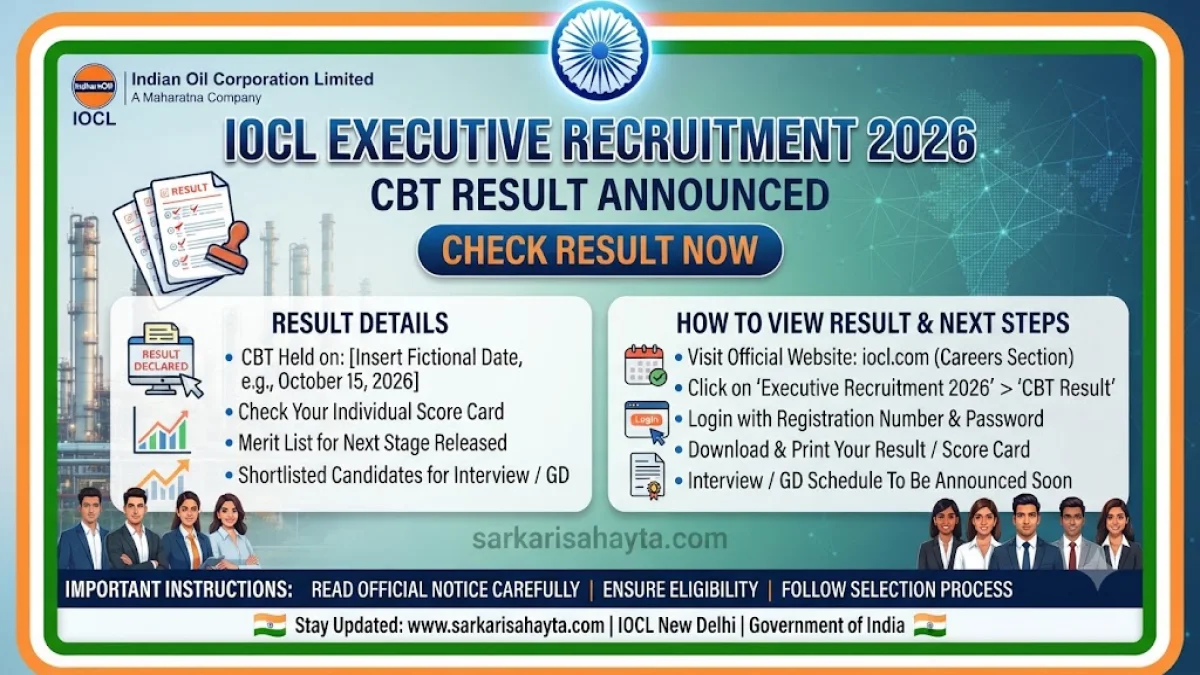
Indian Oil Corporation Limited (IOCL) has officially released the Computer Based Test (CBT) results for the Recruitment of Executives – 2026 under Advertisement No. IOCL/CO‑HR/RECTT/2026/01. Candidates who appeared for the online examination can now check their scorecards through the official IOCL portal. The result window will remain active from 16 October 2026 to 31 October 2026.
🗓️ Important Dates
| Event | Date |
|---|---|
| Commencement of Result | 16 October 2026 |
| Closure of Result | 31 October 2026 |
💻 How to Check IOCL Executive CBT Result
- Visit the official IOCL recruitment portal: https://www.iocl.com.
- Navigate to the section titled “Recruitment of Executives through Computer Based Test (CBT) – 2026.”
- Click on the link “View Scorecard of CBT for Recruitment of Executives [16/10/2026]”.
- Enter your Registration Number / Roll Number and Password or Date of Birth (DD‑MM‑YY).
- Fill in the captcha and click Login to view your result.
- Download and print your scorecard for future reference.
⚙️ Key Instructions for Candidates
- ✅ Results are available online only between 16 October 2026 and 31 October 2026.
- 📄 Candidates must verify their details carefully before downloading the scorecard.
- 🚫 After the closure date, the result link will be deactivated.
- 📢 For any technical queries, candidates should contact IOCL’s recruitment helpdesk through the official website.
🏢 About the Recruitment
This recruitment drive aims to fill Executive positions across various departments of Indian Oil Corporation Limited through a Computer Based Test followed by subsequent selection stages. IOCL, one of India’s leading public sector enterprises, offers competitive pay scales, career growth opportunities, and a dynamic work environment for selected candidates.
❓ Frequently Asked Questions (FAQ)
- 📌 What is the advertisement number for this recruitment?
- The recruitment is conducted under Advertisement No. IOCL/CO‑HR/RECTT/2026/01.
- 🗓️ When was the result announced?
- The result was made available online on 16 October 2026.
- 📄 How long will the result be accessible?
- The result portal will remain active until 31 October 2026.
- 💻 How can I check my scorecard?
- Visit the official IOCL website, open the recruitment section, and log in using your registration number and date of birth to view and download your scorecard.
- ⚠️ What if I forget my password?
- Use your date of birth in DD‑MM‑YY format as an alternative password or click on the “Reset” option available on the login page.
- 📢 What should I do after checking my result?
- Download and keep a printed copy of your scorecard. Follow further instructions from IOCL regarding the next stage of selection.