Welcome to sarkarisahayta.com, your trusted portal for the latest government recruitment updates, exam notifications, and official answer keys. In a major development for higher education aspirants in Uttar Pradesh, the Uttar Pradesh Education Service Selection Commission (UPESSC), Prayagraj, has officially released the provisional answer key for the Assistant Professor Recruitment Examination (Advertisement Number-04/2026).
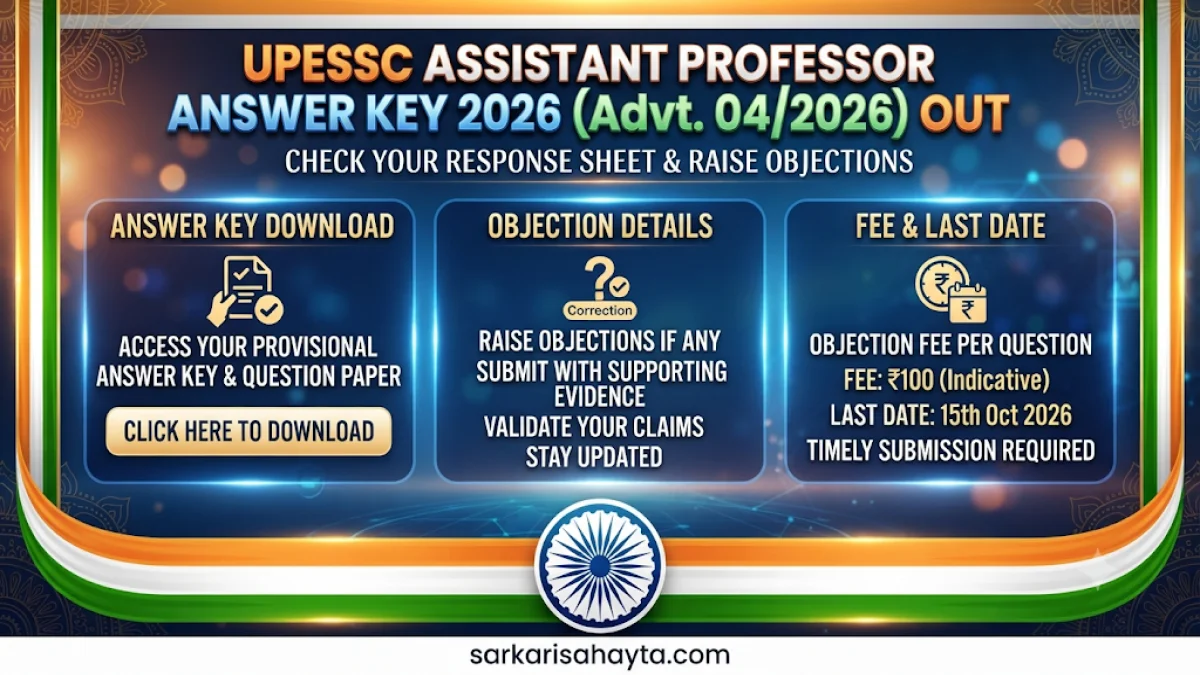
Candidates who appeared in the written examination held across two shifts daily on 19 and 20 November 2026 can now evaluate their performance by downloading the Master Set provisional answer key. Furthermore, the commission has activated the online objection window for candidates who find discrepancies in the official responses. Below, we have compiled every critical detail from the official notice (Letter No. UPESSC/2871), including direct login links, objection fee structures, and step-by-step instructions to challenge questions before the deadline.
Table of Contents
- UPESSC Assistant Professor Answer Key 2026: Overview
- Important Dates & Objection Schedule
- Objection Fee & Payment Rules
- How to Download Master Set Answer Key
- Step-by-Step Process to Raise Online Objections
- Crucial Guidelines for Submitting Valid References
- Essential Full Forms
- Important Direct Links
- Frequently Asked Questions (FAQs)
UPESSC Assistant Professor Answer Key 2026: Overview
The Uttar Pradesh Education Service Selection Commission (UPESSC) conducted the Assistant Professor selection exam smoothly on November 19 and 20, 2026. Within just two days of concluding the examination, the commission published the Master Question Paper and its corresponding provisional answer key on November 22, 2026, ensuring transparency in the evaluation process.
| Particulars | Details |
|---|---|
| Recruiting Body | Uttar Pradesh Education Service Selection Commission (UPESSC), Prayagraj |
| Post Name | Assistant Professor (सहायक आचार्य) |
| Advertisement Number | 04/2026 |
| Official Notice Number | UPESSC / 2871 (Dated: 22.11.2026) |
| Exam Dates | 19 November & 20 November 2026 (Two Shifts Daily) |
| Answer Key Status | Released (Master Set Provisional Answer Key) |
| Objection Window Deadline | 29 November 2026 (Up to 11:59 PM) |
| Objection Fee | Rs. 100/- Per Question |
| Official Website | upessc.up.gov.in |
Important Dates & Objection Schedule
Candidates must keep track of the strict timeline issued by the Deputy Secretary of UPESSC. Once the portal closes on November 29, 2026, no representations will be entertained under any circumstances.
- Written Examination Dates: 19 November 2026 & 20 November 2026 (Morning & Evening Shifts)
- Provisional Answer Key Release Date: 22 November 2026
- Online Objection Submission Starts: 22 November 2026
- Last Date to Raise Objections: 29 November 2026 (till 11:59 PM)
- Last Date to Pay Objection Fee: 29 November 2026 (till 11:59 PM)
Objection Fee & Payment Rules
To prevent frivolous challenges and ensure that only genuine academic discrepancies are reviewed by the subject expert committee, UPESSC has mandated a nominal processing fee:
- Fee Per Question: Rs. 100/- for each individual objection submitted.
- Payment Mode: Strictly online through the payment gateway integrated inside the "View Objection Summary" tab.
- Completion Rule: Simply selecting a question and writing a justification is not enough. An objection is treated as successfully submitted only after the online fee of Rs. 100 per question is paid before the deadline.
How to Download Master Set Answer Key
Before raising any challenge, remember that the answer key is mapped strictly to the Master Question Paper uploaded by the commission. Follow these steps to match your question booklet with the master set:
- Visit the official website of the Uttar Pradesh Education Service Selection Commission at https://upessc.up.gov.in.
- Navigate to the "Notice Board" or "Latest Updates" section on the homepage.
- Look for the notification titled "Assistant Professor (Advt. No. 04/2026) Master Set Question Paper & Provisional Answer Key".
- Download both the Master Question Paper PDF and the Provisional Answer Key PDF for your respective subject and shift.
- Cross-check your marked responses against the Master Set questions rather than your individual series booklet numbering.
Step-by-Step Process to Raise Online Objections
If you identify an incorrect answer option, an out-of-syllabus question, or a translation/printing error in the Master Question Paper, submit your representation using the official objection portal:
- Access the Objection Portal: Open the direct candidate login link at https://www.upessc.net/ap042026qc/Login.aspx.
- Candidate Authentication: Log in to the Objection Window by entering your Roll Number and Date of Birth (in DDMMYYYY format).
- Select the Question: Browse the Master Question Paper list on your dashboard and select the specific question number you wish to challenge.
- Choose Objection Type: Select the appropriate nature/type of objection from the drop-down menu displayed right in front of the selected question.
- Provide Academic Justification: Enter a clear, logical justification along with authentic textbook or standard reference details in the corresponding "Text Box".
- Add Multiple Objections (If Any): Candidates can submit one or more than one objection within the same session.
- Review & Pay Fee: Click on the "View Objection Summary" tab to verify all entered challenges. Click the payment option available there to pay Rs. 100 per objection online.
- Print Confirmation: After successful payment, click the print icon inside the objection summary tab to save a PDF copy of your receipt for future reference.
Crucial Guidelines for Submitting Valid References
- Online Mode Only: UPESSC has clearly stated that objections sent via post, speed post, email, or physical representation at the Prayagraj office will be summarily rejected.
- Authentic Citations Increase Acceptance: When filling out the justification text box, avoid vague arguments. Cite standard UGC-approved reference books, NCERT/standard university publications, edition numbers, author names, and exact page numbers so the expert panel can verify your claim quickly.
- Master Set Alignment: Double-check that the question number you select in the portal corresponds to the Master Question Paper published on the website, as individual candidate booklets have shuffled question orders.
Essential Full Forms
Understanding the official terminology used in the UPESSC recruitment notification helps avoid confusion during the objection and verification stages:
- UPESSC: Uttar Pradesh Education Service Selection Commission
- Advt. No.: Advertisement Number (04/2026)
- DOB (DDMMYYYY): Date of Birth formatted as two-digit Day, two-digit Month, and four-digit Year
- PDF: Portable Document Format
- OMR: Optical Mark Recognition
Important Direct Links
| Action / Resource | Direct Link |
|---|---|
| Raise Online Objection (Candidate Login) | Click Here to Login |
| Download Official Notification & Master Answer Key | Click Here to Visit Portal |
| UPESSC Official Website | https://upessc.up.gov.in |
Frequently Asked Questions (FAQs)
- Q1. When was the UPESSC Assistant Professor (Advt. No. 04/2026) provisional answer key released?
- The Uttar Pradesh Education Service Selection Commission released the Master Set provisional answer key on 22 November 2026 for the written exam held on 19 and 20 November 2026.
- Q2. What is the last date to submit objections against the UPESSC Assistant Professor answer key?
- Candidates can submit their online objections and complete the fee payment up to 29 November 2026 till 11:59 PM. After this timestamp, the objection link will automatically deactivate.
- Q3. How much fee is required to challenge a question in the UPESSC answer key?
- Candidates must pay an online objection fee of Rs. 100 per question challenged. Objections without successful fee payment will not be considered by the commission.
- Q4. What credentials are needed to log in to the UPESSC objection window?
- You need your Examination Roll Number and your Date of Birth in DDMMYYYY format to log in at upessc.net/ap042026qc/Login.aspx.
- Q5. Can I send my answer key objection by post or email to the Prayagraj office?
- No. According to official notice UPESSC/2871, objections submitted through post, offline application, or any mode other than the official online portal will not be accepted.