
📌 Quick Overview
- 🏛️ Recruitment Name: Credit Officers in GBO Stream
- 📄 Project No.: 2026-27/01
- 📅 Notification Date: 01 June 2026
- 🌐 Application Mode: Online
- 💼 Job Type: Banking Sector
- 📍 Job Location: Across India
- 🎯 Position: Credit Officer
- 🏦 Department: General Banking Officer (GBO) Stream
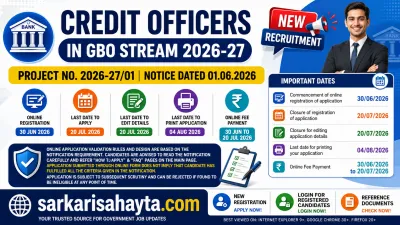
📅 Important Dates
| Event | Date |
|---|---|
| Commencement of Online Registration | 30 June 2026 |
| Closure of Registration | 20 July 2026 |
| Last Date for Editing Application | 20 July 2026 |
| Last Date for Printing Application | 04 August 2026 |
| Online Fee Payment | 30 June to 20 July 2026 |
The Recruitment of Credit Officers in GBO Stream Project No. 2026-27/01 has officially opened for eligible candidates seeking a stable and prestigious career in the banking sector. This recruitment offers an excellent opportunity for candidates who aspire to work in banking operations, credit management, loan processing, and financial analysis.
Banking jobs continue to remain one of the most preferred career options in India due to job security, attractive salary packages, promotions, allowances, and long-term career growth. The recruitment of Credit Officers in the General Banking Officer (GBO) stream is especially attractive because it offers exposure to core banking operations and financial decision-making.
This recruitment drive invites online applications from eligible candidates. Interested applicants are advised to carefully read the official notification before applying. Candidates must ensure they fulfill all eligibility conditions related to age, education, experience (if required), and other criteria before submission of the online application form.
🛠️ Essential Tools
In this detailed article, we provide complete information regarding Credit Officer Recruitment 2026 including important dates, eligibility, age limit, educational qualification, application fee, selection process, exam pattern, syllabus, salary structure, application steps, preparation strategy, and frequently asked questions.
🏦 About Credit Officer Role
A Credit Officer plays a vital role in the banking sector. These professionals are responsible for assessing creditworthiness, evaluating loan applications, analyzing financial documents, and minimizing lending risks.
🛠️ Essential Tools
Their work directly impacts the financial stability and profitability of banking institutions. Credit Officers help ensure that loans are sanctioned only to eligible borrowers with acceptable risk levels.
🎯 Key Responsibilities of Credit Officers
- 📊 Credit appraisal and risk assessment
- 📄 Loan proposal evaluation
- 💰 Financial statement analysis
- 🏦 Banking operations management
- 📈 Credit portfolio monitoring
- 📝 Loan documentation verification
- ⚠ Risk identification and mitigation
🎓 Educational Qualification
Candidates applying for Credit Officer posts are generally expected to possess graduation or higher educational qualifications from recognized institutions.
🛠️ Essential Tools
Preferred qualifications may include:
- Bachelor’s Degree in any discipline
- B.Com / BBA / Economics
- MBA (Finance)
- CA / CFA / ICWA (Preferred in some cases)
Candidates should check official notification for exact qualification requirements.
🎂 Age Limit
The age criteria are determined as per the official recruitment notification.
- Minimum Age: As per notification
- Maximum Age: As per notification
- Age Relaxation: Applicable for reserved categories
💰 Application Fee
The application fee must be paid online during the registration process.
- General/OBC/EWS: As per notification
- SC/ST/PwBD: As per notification
Payment methods may include:
- Debit Card
- Credit Card
- Net Banking
- UPI
⚠ Important Points to Remember Before Registration
Candidates should carefully review the following instructions before starting the online application process for Credit Officer Recruitment 2026.
- 📷 Keep scanned copies of your recent photograph, signature, left thumb impression, and handwritten declaration ready in the prescribed format before applying.
- 📧 Ensure you have an active personal email ID and mobile number. These should remain active throughout the recruitment process because all important updates such as exam call letters, interview notices, and alerts may be sent through registered contact details.
- 🆔 Keep a valid photo identity proof ready such as Aadhaar Card, PAN Card, Passport, Driving License, or Voter ID.
- ✅ Check all eligibility conditions carefully before filling the application form.
💳 Application Fee Details
The application fee must be paid online between 30 June 2026 and 20 July 2026.
| Category | Fee Amount |
|---|---|
| SC / ST / PwD | ₹175 (Intimation Charges Only) |
| General / Other Categories | ₹850 (Application Fee + Intimation Charges) |
⚠ Any additional transaction charges charged by the payment gateway or bank will be borne by the candidate.
📝 Online Application Process
- Visit the official Bank website and open the Careers section.
- Click on the recruitment notification link for Credit Officers in GBO Stream Project No. 2026-27/01.
- Select the Apply Online option to start the registration process.
- Choose New Registration and enter your basic details such as name, contact number, and email ID.
- After successful registration, a provisional registration number and password will be generated and sent through SMS and email.
- Save these credentials carefully for future login and application access.
- Use the Save & Next option if you want to complete the application in multiple sessions.
- Carefully review all entered details before final submission because corrections may not be allowed afterward.
- Ensure your name and other personal details exactly match your certificates and identity documents.
- Upload photograph and signature according to the prescribed guidelines.
- Fill in additional required details including qualification and experience details (if applicable).
- Use the preview option to review the complete application form.
- Submit the form only after verifying all details carefully.
- Proceed to the payment section to pay the application fee.
💳 Fee Payment Process (Online Only)
The fee payment process is integrated with the online application portal. Candidates can complete payment by following on-screen instructions.
Accepted Payment Methods
- 💳 Credit Card (MasterCard / Visa / RuPay)
- 💳 Debit Card
- 🏦 Internet Banking
- 📱 Mobile Wallets
- 🔳 QR Payment
- 💸 UPI
Important Payment Instructions
- ⏳ After submitting payment details, wait for server confirmation.
- 🚫 Do not press Back or Refresh during payment to avoid duplicate transactions.
- 🧾 After successful payment, an e-Receipt will be generated.
- ❌ If e-Receipt is not generated, payment may have failed.
- 🔄 In case of payment failure, login again using your registration credentials and retry payment.
- 🖨 Keep printouts of both the e-Receipt and submitted application form for future reference.
- 🌍 International card users may see currency conversion charges as per bank exchange rates.
- 🔒 For security reasons, always close the browser after completing payment.
📂 Document Scan & Upload Guidelines
Before starting the online application process, candidates should keep digital copies of all required documents ready. These include photograph, signature, left thumb impression, and handwritten declaration. All files must follow the required format, dimensions, and size limits.
⚠ Important: The application form will not proceed unless all documents are uploaded correctly as per the prescribed guidelines.
📷 Photograph Guidelines
- Upload a recent passport-size color photograph.
- Use a light-colored background, preferably white.
- Face should be clearly visible and directed straight toward the camera.
- Avoid shadows, blur, or poor lighting.
- If wearing glasses, ensure there is no reflection on the lenses.
- Caps, sunglasses, and face-covering accessories are not allowed.
- Religious headwear is acceptable if the full face remains visible.
Preferred Specifications:
- Dimensions: 200 × 230 pixels
- File Size: 20 KB – 50 KB
- Format: JPG / JPEG
📸 Live Photo Capture Instructions
Candidates may also need to capture a live photo during the application process using either a webcam or mobile device.
- Webcam option allows direct photo capture from desktop/laptop.
- Mobile option may use QR scanning to open camera upload page.
✅ Best Practices
- Use proper lighting
- Choose clean background
- Keep face centered
- Maintain clear visibility
❌ Avoid These Mistakes
- Small or unclear photo
- Blurred image
- Dark background
- Face covered by mask or shadow
✍ Signature Guidelines
- Sign on white paper using black ink pen.
- Signature should not be in capital letters.
- Uploaded signature must be clear and readable.
Preferred Specifications:
- Dimensions: 140 × 60 pixels
- File Size: 10 KB – 20 KB
- Format: JPG / JPEG
👍 Left Thumb Impression Guidelines
- Put left thumb impression on white paper using black or blue ink.
- Image should be clean and properly visible.
Preferred Specifications:
- Dimensions: 240 × 240 pixels
- Resolution: 200 DPI
- File Size: 20 KB – 50 KB
⚠ If left thumb is unavailable, candidates may use the right thumb or another valid finger/toe impression as per applicable guidelines.
📝 Handwritten Declaration Guidelines
- Declaration must be written in English only.
- Use black ink on white paper.
- Writing must be in candidate’s own handwriting.
- Text should not be written in capital letters.
Preferred Specifications:
- Dimensions: 800 × 400 pixels
- Resolution: 200 DPI
- File Size: 50 KB – 100 KB
📄 Declaration Text
“I, _______ (Candidate Name), hereby declare that all the information provided by me in the application form is true, correct, and valid. I shall submit supporting documents whenever required.”
⚠ Candidates must ensure the declaration is handwritten personally. Applications may be rejected if written by someone else or submitted in another language.
🖥 Scanning Instructions
- Set scanner resolution to minimum 200 DPI.
- Use True Color mode.
- Crop images properly to remove unnecessary blank space.
- Save files only in JPG/JPEG format.
- Resize files to meet prescribed dimensions and file size limits.
⬆ Upload Process
- Open the online application form.
- Click on the respective upload link for each document.
- Select the file from your device.
- Upload the selected file.
- Preview the uploaded file for clarity.
⚠ Important Upload Instructions
- Ensure photograph is uploaded in the photo section only.
- Ensure signature is uploaded in the signature section only.
- Check image clarity before final submission.
- Blurred or unclear uploads may cause rejection.
- Incorrect document placement can lead to disqualification.
📌 Final Note
After successful registration and payment, candidates should download and print the submitted application form for future reference. Keep the application copy, registration number, and password secure until the recruitment process is completed.
📢 Candidates are not required to send the printed application form to the bank unless specifically instructed.
♿ Guidelines for Persons with Benchmark Disabilities Using a Scribe
Candidates belonging to benchmark disability categories and requiring writing assistance during the examination may avail the facility of a scribe as per applicable government guidelines. The facility is available only to eligible candidates under prescribed conditions.
📝 General Rules for Scribe Facility
- ✍ Candidates who need a scribe must arrange one at their own expense.
- 📄 Candidates requesting scribe support may be required to produce a valid medical certificate from a government-authorized medical institution confirming their writing limitation and need for assistance.
- 🎓 The scribe should preferably belong to an academic background different from the discipline prescribed for the applied post.
- 📋 Both candidate and scribe must submit a declaration confirming eligibility and compliance with all prescribed conditions.
- ⚠ If incorrect details, false declarations, or hidden facts are found later, the candidature may be cancelled at any stage of recruitment.
- ⏳ Candidates using a scribe are generally entitled to compensatory time of 20 minutes per hour of examination or as prescribed by the authority.
- 🚫 The selected scribe must not be appearing as a candidate in the same recruitment process.
- 🚫 One scribe cannot assist multiple candidates in the same examination session.
- ❌ Any violation of these conditions may result in cancellation of both the candidate’s and scribe’s eligibility.
- 🖥 Candidates must indicate the requirement of scribe facility while filling the online application form. Requests made after registration may not be accepted.
- ⏱ Compensatory time is system-based and available only to candidates who selected this option during registration.
- 🚨 If at any stage the scribe is found independently answering questions instead of assisting, the exam may be terminated immediately.
- ⛔ In such cases, both candidate and scribe may face cancellation and may also be restricted from future bank examinations for a specified period.
- 🆔 The recruiting authority may conduct identity verification, including Aadhaar verification, for both candidate and scribe if required.
♿ Guidelines for Candidates with Locomotor Disability or Cerebral Palsy
Candidates with locomotor disability or cerebral palsy affecting their dominant writing hand may be eligible for additional examination time.
- ⏳ Extra time of 20 minutes per hour or as prescribed may be granted.
- 📌 This benefit generally applies to candidates with at least 40% impairment affecting writing performance.
👁 Guidelines for Visually Impaired Candidates
Visually impaired candidates meeting the prescribed disability criteria may avail special facilities during the examination.
- 🔍 Candidates may be allowed to view exam content in enlarged or magnified font.
- ⏳ Additional time of 20 minutes per hour may be granted.
- ⚠ Candidates opting for scribe assistance may not be allowed to use magnified font simultaneously, depending on exam rules.
🧠 Guidelines for Candidates with Intellectual Disabilities
Candidates with intellectual disabilities such as autism, specific learning disabilities, or mental health-related conditions may receive special examination support.
- 📌 This benefit generally applies to candidates with more than 40% disability.
- ⏳ Eligible candidates may receive compensatory time of 20 minutes per hour.
- ✍ This facility may be available whether or not the candidate uses a scribe, depending on eligibility.
📖 Guidelines for Candidates with Less than 40% Disability but Difficulty in Writing
Certain candidates with specified disabilities below 40% but facing significant writing difficulty may also receive examination support based on eligibility.
- ⏳ Eligible candidates may be granted additional time of at least 20 minutes per hour.
- 📌 If the exam duration is less than one hour, extra time may be calculated proportionately.
⚠ Important Note
All disability-related facilities, concessions, and scribe provisions are subject to government regulations and may be revised whenever new guidelines or clarifications are issued by the competent authorities.
📝 Selection Process
The selection process for Credit Officer recruitment generally consists of multiple stages.
- Online Written Examination
- Interview / Group Discussion
- Document Verification
- Final Selection
📘 Exam Pattern
The written examination may include objective-type questions covering banking-related subjects and aptitude.
| Section | Topics |
|---|---|
| Reasoning Ability | Puzzles, Seating, Logic |
| Quantitative Aptitude | Arithmetic, DI, Simplification |
| English Language | Grammar, Vocabulary, RC |
| Banking Awareness | Current Banking Affairs |
| Professional Knowledge | Credit & Finance Concepts |
📚 Detailed Syllabus
🧠 Reasoning Ability
- Puzzles
- Seating Arrangement
- Syllogism
- Blood Relation
- Direction Test
🔢 Quantitative Aptitude
- Percentage
- Ratio
- Profit & Loss
- Time & Work
- Data Interpretation
📖 English Language
- Reading Comprehension
- Error Detection
- Cloze Test
- Vocabulary
🏦 Banking Awareness
- Banking Terminology
- RBI Policies
- Financial Awareness
- Current Affairs
📊 Professional Knowledge
- Credit Analysis
- Financial Ratios
- Risk Management
- Loan Processing
- Credit Appraisal
💼 Salary Structure
Credit Officers receive attractive salary packages with multiple allowances.
- Basic Pay: As per bank norms
- DA (Dearness Allowance)
- HRA (House Rent Allowance)
- Medical Benefits
- Travel Allowance
- Performance Incentives
The gross monthly salary may range from ₹50,000 to ₹80,000+ depending on bank policy and posting location.
How to Apply
Candidates can apply online only from 30.06.2026 to 20.07.2026. No other mode of application will be accepted.
Important Points Before Registration
- Keep scanned copies of your Photograph, Signature, Left Thumb Impression, and Handwritten Declaration ready as per specifications.
- Maintain a valid Email ID and Mobile Number throughout the recruitment process.
- Ensure you have a valid ID Proof (PAN, Aadhaar, Passport, Driving License, Voter ID, etc.).
Application Fees
- SC/ST/PWD: Rs. 175 (Intimation charges only)
- General & Others: Rs. 850 (Application fee + Intimation charges)
Note: Bank transaction charges must be borne by the candidate.
Application Procedure
- Visit the official website: www.bankofindia.bank.in
- Click on CAREER → “Recruitment of Credit Officers in GBO Stream Project No. 2026-27/01”.
- Select APPLY ONLINE and choose New Registration.
- Fill in your details. A Registration Number and Password will be generated and sent via Email/SMS.
- Use SAVE AND NEXT to save progress before final submission.
- Upload your Photograph, Signature, Thumb Impression, and Declaration.
- Preview the application carefully before clicking COMPLETE REGISTRATION.
- Proceed to the Payment Tab and pay the application fee online.
Payment of Fees
- Payment can be made via Debit/Credit Card, Net Banking, Wallets, QR, or UPI.
- On successful payment, an e-Receipt will be generated.
- Take a printout of the e-Receipt and the Application Form for future reference.
📂 Required Documents
- Recent Photograph
- Signature
- Educational Certificates
- ID Proof
- Category Certificate (if applicable)
📷 Guidelines for Photograph & Signature Upload
- Upload clear recent photograph
- Signature should be readable
- Use correct file size and format
- Avoid blurred images
⚠ Important Instructions
- Read notification carefully before applying
- Ensure eligibility before registration
- Submit application before deadline
- Double-check entered details
- Keep login credentials safe
🌟 Why Choose Banking Career?
- Job Security
- Stable Income
- Career Growth
- Social Respect
- Good Work Environment
📘 Preparation Strategy
- Study banking concepts daily
- Practice mock tests regularly
- Improve speed and accuracy
- Focus on current affairs
- Revise financial concepts
❓ Online Registration FAQs
1️⃣ The registration website is loading very slowly. What should I do?
If the application portal is taking too much time to load, it may be because of heavy user traffic or slow internet connectivity. Try accessing the website after some time or during non-peak hours such as late evening or night.
2️⃣ How can I confirm that my application has been submitted successfully?
Once your application is submitted successfully, the system will generate a unique Registration Number and Password. Save these details carefully as they will be required for login, downloading admit card, checking results, and printing the application form.
3️⃣ I did not receive the registration confirmation email. What should I do?
Confirmation emails are sent automatically after successful registration. Sometimes emails may be delayed or redirected to Spam/Junk folders depending on your email provider settings. Make sure your registered email ID was entered correctly.
4️⃣ How can I verify whether my application has been saved?
You can check this by using the Reprint Application / e-Receipt option available on the portal. If the application form can be accessed and printed, it means your submission has been recorded successfully.
5️⃣ My registration number appears blank or invalid. What should I do?
In rare situations, candidates may face issues where the registration number is not properly generated. If this happens, verify your application status through the reprint option. If no valid record is found, complete a fresh registration.
6️⃣ My browser closed or internet disconnected during form submission. Is my application safe?
Unexpected interruptions such as internet failure, browser crash, or system shutdown can affect submission. Please check your application using the reprint option. If no record is available, you will need to apply again.
7️⃣ I sent an email but did not receive any reply. Why?
Support email services are intended only for genuine technical or application-related queries. Non-relevant emails or automated responses may not receive any reply and can be filtered automatically.
8️⃣ What information should I keep while contacting support?
Always keep your Registration Number and Password ready while communicating with support, as these details help in quick verification of your application.
9️⃣ What details should I mention while reporting a technical issue?
To resolve issues faster, provide complete details such as:
- 📌 Registration Number
- 📱 Mobile Number
- 📧 Registered Email ID
- 💻 Operating System (Windows/Linux/Mac)
- 🌐 Browser Name and Version
- 📷 Screenshot of Error Message
🔟 Can I make changes after submitting my application?
You can modify details before final submission by using the edit option. However, once the form is finally submitted, no corrections will be allowed. Review all details carefully before submission.
1️⃣1️⃣ Important Note for Mobile and Tablet Users
Candidates applying through smartphones, tablets, or iPads can find all essential documents and instructions—including photo upload guidelines, signature rules, and other important notices—on the application portal’s main page.
1️⃣2️⃣ What does the “ID & Others” category include?
This category generally covers intellectual disabilities and related conditions, including autism spectrum disorder, specific learning disabilities, and mental health-related conditions as per applicable guidelines.
1️⃣3️⃣ Where should I report technical problems during registration?
If you face technical issues during registration or do not receive confirmation within 24 hours, use the official grievance support system available on the recruitment portal for assistance.
While submitting a grievance, keep the following details ready:
- 📌 Registration Number
- 🏦 Recruitment / Bank Name
- 💼 Applied Post Name
- 📧 Email ID
- 📱 Mobile Number
- 💻 Operating System Details
- 🌐 Browser & Version
- ⚙ JavaScript Status
- 📷 Exact Error Screenshot
🌟 Final Words
The Recruitment of Credit Officers in GBO Stream 2026 presents an excellent opportunity for banking aspirants looking for a stable and rewarding career in the financial sector. Interested candidates should complete the application process well before the deadline and begin preparation immediately.
With proper planning, smart preparation, and consistent practice, candidates can secure success in this prestigious recruitment. Best wishes to all applicants! 🚀