
🤖 AI Summary
🏛️ Organization: Uttar Pradesh Subordinate Services Selection Commission (UPSSSC)
💻 Post: Computer Operator Grade-B
📝 Examination: Main Examination
🛠️ Essential Tools
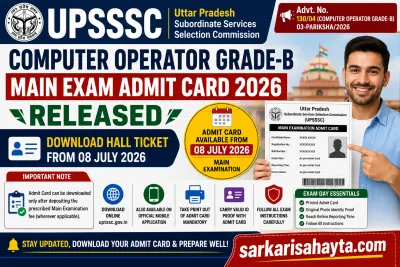
🎫 Admit Card Released: 08 July 2026
🌐 Download Mode: Online & Official Mobile App
🛠️ Essential Tools
📄 Admit Card Required: Mandatory for Examination
💰 Important Note: Admit Card available only after fee payment (where applicable)
🛠️ Essential Tools
📱 Alternative Access: UPSSSC Official Mobile Application
📢 UPSSSC Computer Operator Grade-B Main Exam Admit Card 2026 Released
The Uttar Pradesh Subordinate Services Selection Commission (UPSSSC) has officially released the Main Examination Admit Card for the Computer Operator Grade-B Recruitment Examination 2026. Candidates who have successfully completed all previous stages can now download their admit cards through the official UPSSSC website as well as the Commission's authorized mobile application.
According to the latest notification issued by the Commission, candidates can download their admit cards from 08 July 2026. Every candidate must carefully read all instructions printed on the admit card before appearing for the Main Examination. A valid admit card is compulsory for entry into the examination centre.
The Commission has also clarified that candidates will be able to download the admit card only after successfully depositing the prescribed Main Examination fee, wherever applicable. Candidates are advised to complete all formalities well before the examination date to avoid last-minute issues.
📌 General Information
The UPSSSC has informed all eligible candidates that the admit card for the Main Examination has been uploaded on the official website. Candidates should log in using their registration credentials and download the admit card before the examination.
The Commission has advised candidates to carefully verify all personal details printed on the admit card and strictly follow the examination instructions mentioned therein. Candidates without a valid admit card will not be permitted to appear in the examination.
📖 Examination Overview
| Particular | Details |
|---|---|
| Recruitment Authority | UPSSSC |
| Post Name | Computer Operator Grade-B |
| Examination | Main Examination |
| Admit Card Status | Released |
| Download Mode | Online |
| Alternative Download | Official Mobile App |
| Hall Ticket Requirement | Mandatory |
📅 Important Dates
| Event | Date |
|---|---|
| Official Notice Issued | 08 July 2026 |
| Admit Card Available | 08 July 2026 |
| Main Examination | As Mentioned on Admit Card |
🎫 How to Download the Admit Card
- 🌐 Visit the official UPSSSC website.
- 🔐 Open the Admit Card download link.
- 📝 Enter the required login credentials.
- 📄 Verify your details.
- ⬇️ Download the admit card.
- 🖨️ Take a clear printout for the examination.
The Commission has also made the admit card download facility available through its official mobile application for the convenience of candidates.
📂 Documents Required on Exam Day
- 🎫 Printed Admit Card
- 🪪 Original Valid Photo Identity Proof
- 📷 Passport Size Photograph (if required)
- 🖊️ Blue/Black Ball Point Pen (if permitted)
📌 Important Instructions
- ✅ Download the admit card before the examination date.
- 📄 Read every instruction printed on the admit card carefully.
- 🖨️ Carry a clear printed copy of the admit card.
- 🪪 Bring a valid original photo identity proof.
- 📱 Admit card can also be downloaded through the official UPSSSC mobile application.
- 💰 Ensure the prescribed examination fee has been deposited, as the admit card will be available only after successful fee payment wherever applicable.
- ⏰ Reach the examination centre well before the reporting time.
📝 Main Examination Details
The UPSSSC Computer Operator Grade-B Main Examination 2026 is an important stage of the recruitment process. Candidates who have qualified the previous stage are eligible to appear for the Main Examination. The Commission has instructed candidates to carefully read all instructions printed on the admit card before appearing for the examination.
The exact examination date, reporting time, examination centre, and other important details are printed on the individual admit card downloaded by each candidate. Candidates should verify these details immediately after downloading the admit card.
🎫 Admit Card Verification
Immediately after downloading the admit card, candidates should verify every detail carefully. If any discrepancy is found, they should contact the Commission before the examination date.
| Information to Verify | Status |
|---|---|
| Candidate Name | ✔ Verify Carefully |
| Photograph | ✔ Verify Carefully |
| Signature | ✔ Verify Carefully |
| Registration Number | ✔ Verify Carefully |
| Roll Number | ✔ Verify Carefully |
| Exam Centre | ✔ Verify Carefully |
| Exam Date & Time | ✔ Verify Carefully |
📋 Examination Day Guidelines
Candidates should reach the examination centre well before the reporting time mentioned on the admit card. They should carry all required documents and strictly follow the instructions issued by the invigilators.
- ⏰ Reach the examination centre before reporting time.
- 🎫 Carry a printed copy of the admit card.
- 🪪 Bring an original valid Photo Identity Proof.
- 📄 Follow all instructions printed on the admit card.
- 👮 Cooperate during identity verification.
- 🖊️ Sign attendance only in the presence of the invigilator.
- 📢 Follow all examination hall instructions carefully.
🚫 Prohibited Items
Candidates should avoid carrying prohibited materials inside the examination hall. Possession of unauthorized items may lead to cancellation of candidature or disciplinary action.
- 📱 Mobile Phones
- ⌚ Smart Watches
- 🎧 Bluetooth Devices
- 📷 Cameras
- 💾 Pen Drives & Electronic Storage Devices
- 📚 Books & Notes
- 📄 Loose Papers
- 🧮 Calculators (unless specifically permitted)
📂 Documents Required at the Examination Centre
Candidates should keep all required documents ready before leaving for the examination centre.
- 🎫 Printed Admit Card
- 🪪 Original Aadhaar Card / Voter ID / Driving Licence / Passport or other valid Photo Identity Proof
- 📷 Passport-size Photograph (if required)
- 🖊️ Blue or Black Ball Point Pen (if permitted)
📱 Admit Card Through Official Mobile App
For the convenience of candidates, UPSSSC has also made the admit card available through its authorized mobile application. Candidates may download their hall ticket either through the official website or by using the Commission's official mobile app.
However, candidates should always carry a clear printed copy of the admit card while reporting to the examination centre.
⚠️ Important Instructions
- ✅ Download the admit card before the examination date.
- 💰 Ensure the Main Examination fee has been deposited successfully, wherever applicable.
- 🖨️ Carry only a clear printed admit card.
- 📄 Read every instruction printed on the admit card carefully.
- 🪪 Carry a valid original Photo Identity Proof.
- 📱 Admit card can also be downloaded using the official UPSSSC mobile application.
- 🚫 Do not carry prohibited electronic gadgets.
- 📢 Follow all directions issued by the examination staff.
The Commission has specifically informed candidates that the admit card can be downloaded only after successful payment of the prescribed Main Examination fee (where applicable). Candidates should therefore ensure that all required formalities have been completed before attempting to download the hall ticket.
❌ Common Mistakes Candidates Should Avoid
Many candidates face unnecessary difficulties during the Main Examination simply because they overlook important instructions printed on the admit card. The UPSSSC Computer Operator Grade-B Main Examination 2026 requires every candidate to carry a valid admit card, complete the required formalities, and strictly follow the Commission's examination guidelines.
Candidates should remember that the admit card is available only after completion of the prescribed examination fee payment (where applicable). They should also verify every detail printed on the admit card immediately after downloading it and report any discrepancy before the examination.
🚫 Common Mistakes
- ❌ Waiting until the last day to download the admit card.
- 💰 Forgetting to complete the required examination fee payment (where applicable).
- 🖨️ Carrying a blurred or damaged printout of the admit card.
- 🪪 Forgetting to carry the original photo identity proof.
- ⏰ Reaching the examination centre late.
- 📄 Not reading the instructions printed on the admit card.
- 📱 Carrying prohibited electronic gadgets inside the examination hall.
- 🔍 Not verifying personal details printed on the admit card.
- 📢 Ignoring official UPSSSC notifications.
- 📂 Misplacing the downloaded admit card before the examination.
📊 Examination Readiness Checklist
Candidates should complete the following checklist before leaving for the examination centre to ensure a smooth examination experience.
| Checklist Item | Status |
|---|---|
| Admit Card Downloaded | ✅ Required |
| Fee Payment Completed (if applicable) | ✅ Required |
| Photo Identity Proof Ready | ✅ Required |
| Personal Details Verified | ✅ Required |
| Exam Centre Confirmed | ✅ Recommended |
| Reporting Time Checked | ✅ Mandatory |
📚 Last-Minute Preparation Tips
As the Main Examination approaches, candidates should avoid unnecessary stress and focus on revision, confidence, and proper examination planning.
- 📖 Revise important computer concepts and previous notes.
- ⌨️ Practice typing and computer-related objective questions.
- 📄 Solve previous year question papers if available.
- 😴 Take adequate rest before the examination.
- 💧 Stay hydrated and maintain good health.
- 👜 Keep all examination documents ready one day in advance.
- ⏰ Plan your travel to the examination centre beforehand.
- 😊 Stay calm and confident during the examination.
🤖 AI Career Advice
The Main Examination is one of the most important stages of the UPSSSC Computer Operator Grade-B recruitment process. Along with subject preparation, candidates should pay equal attention to examination-day planning. Download the admit card well in advance, verify all details carefully, and keep every required document ready before the examination.
Avoid relying on unofficial sources for examination updates. Regularly visit the official UPSSSC website or use the Commission's official mobile application for authentic information regarding the examination, answer key, results, and further recruitment stages.
🧠 Expert Tips
- 💡 Download the admit card immediately after it becomes available.
- 🖨️ Carry at least two printed copies of the admit card.
- 🪪 Keep your original photo identity proof ready.
- 📄 Read every instruction mentioned on the admit card.
- 📍 Visit the examination centre location in advance if possible.
- 🚫 Do not carry prohibited electronic devices.
- 📱 Follow only official UPSSSC notifications.
- ⏰ Reach the examination centre well before the reporting time.
❓ Frequently Asked Questions (FAQs)
- ❓ When was the UPSSSC Computer Operator Grade-B Main Exam Admit Card released?
- The admit card was made available for download from 08 July 2026.
- ❓ Where can candidates download the admit card?
- Candidates can download the admit card through the official UPSSSC website as well as the Commission's authorized mobile application.
- ❓ Is the admit card mandatory for the Main Examination?
- Yes. A valid admit card is compulsory for entry into the examination centre. Candidates without a valid admit card will not be permitted to appear in the examination.
- ❓ Can I download the admit card without paying the examination fee?
- No. The Commission has stated that candidates will be able to download the admit card only after successful payment of the prescribed Main Examination fee, wherever applicable.
- ❓ Can the admit card be downloaded using the official mobile app?
- Yes. UPSSSC has also provided the admit card download facility through its official mobile application.
- ❓ What documents should I carry on the examination day?
- You should carry a printed admit card along with a valid original photo identity proof and any other documents mentioned in the examination instructions.
- ❓ What should I do if there is an error on my admit card?
- If you notice any discrepancy in the admit card details, you should immediately contact UPSSSC before the examination date for necessary clarification.
🏁 Final Verdict
The UPSSSC Computer Operator Grade-B Main Examination Admit Card 2026 is an essential document for every eligible candidate. Candidates should download it as early as possible, verify all printed information, complete the prescribed examination fee payment (where applicable), and carefully follow every instruction issued by the Commission before appearing for the examination.
Proper preparation, timely arrival at the examination centre, carrying all mandatory documents, and relying only on official UPSSSC communications will help candidates complete the examination process smoothly. Candidates are advised to regularly check the official website and the UPSSSC mobile application for any further updates regarding the recruitment process.